
Quick answer
Both frameworks can support an Arabic–English app. Choose after reviewing the actual customer journey, the device features it needs and the team's ability to maintain it. Ask a supplier to demonstrate the difficult bilingual screens early, because a list of translated labels leaves many layout and behaviour decisions unresolved.
For a UAE service app, that demonstration might follow someone reporting a repair, adding a photograph and checking an appointment. The framework decision becomes easier to discuss when everyone is looking at the same task.
On this page
Separate language, layout and behaviour
Language includes the content the user reads, including validation and notification messages. Layout includes direction, alignment and the space available for text. Behaviour includes what happens when someone changes language, enters a mixed-language address or returns to a form they already started.
These parts interact. A translated button may wrap onto another line, and a phone number inside an Arabic screen may need a different direction from the surrounding text. Your acceptance brief should show those cases instead of saying only “Arabic supported”.
Flutter's internationalization documentation covers locale-aware resources, messages and formatting. React Native's I18nManager documentation covers RTL layout behaviour, including cases where positioning and animations need attention. Neither document removes the need to test the app's particular screens.
Use one journey to compare proposals
The following is a worked test brief for a fictional tenant-maintenance app. It is not a claim that these tests have been completed in either framework.
Scroll the table to see all columns.
| Screen or action | What to show in both languages | What the buyer can check |
|---|---|---|
| Choose a maintenance category | A short list with icons and selected state | Labels remain readable and selection is clear |
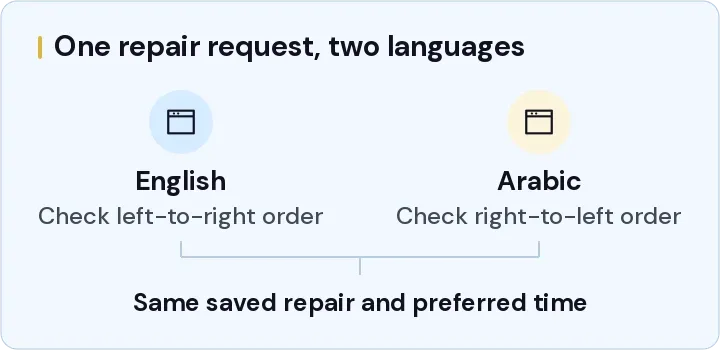
| Describe the repair | Mixed Arabic and English text, plus a phone number | Input direction and saved content remain usable |
| Add a photograph | Upload progress, a failed upload and a retry | Instructions and error messages are translated and understandable |
| Suggest an appointment | A date, time window and confirmation state | Formatting is clear and a preference is not presented as a confirmed visit |
| Change language | An in-progress request | The team explains whether the screen reloads and what happens to unsaved input |
The mobile app cost guide uses a tenant-maintenance design prototype to explain why the staff workflow belongs in the scope too. That is useful context for this test brief: translating the customer screens does not settle how staff confirm or change a visit.
Ask about the capabilities around the interface
List the device features the first release needs, such as photo selection, notifications or offline work. Then ask which libraries or native components the supplier proposes and how they will be maintained. A familiar framework can still need specialist work for a particular integration.
If the app exchanges records with a CRM or booking system, identify which system owns each value and how failures are handled. The same customer journey should remain understandable when a connection is slow or unavailable. Include those messages in the language review.
Discuss supported devices and operating-system versions before comparing delivery dates. A demonstration on one phone is a useful start, but the release needs an agreed device matrix. Include a small screen and the accessibility text settings your intended audience may use.
Evaluate the team and the handover
Ask who will review Arabic wording and who will test right-to-left behaviour. Those responsibilities may involve different people. Machine-translated copy can help a draft, but approval should come from someone who understands the business language and the action the customer is taking.
The maintenance conversation should cover dependencies, updates and release ownership. You should know who controls the code, developer accounts and credentials for connected services. A lower first-build estimate can be difficult to assess when the proposal leaves future support unexplained.
Use the demonstration to reduce a real uncertainty. If both suppliers can show the important journey clearly, compare their integration plan, maintenance approach and relevant team capability. A universal claim that one framework is always faster or cheaper gives you less information about your particular app.
Bring a small acceptance brief
Start with the first customer task, the languages and the device features you need. Add one awkward example, such as a long Arabic address with an English unit reference, so the team can explain how it would be tested. Keep the first release focused enough that the acceptance checks are achievable.
NST's Mobile App Development service covers scoping, interface work, development and release handover. Tell us the task your app should help people complete, and we can discuss a bilingual review alongside the rest of the build.
Scope the bilingual journey
Discuss the first customer task, device features and language checks that your app needs to support.
Keep reading

What drives the cost of a mobile app in Dubai?
Compare published Dubai mobile app costs in AED, see what goes into a real design prototype, and use a checklist to scope your first release.

What changes the cost of a business website in Sharjah?
Compare website scopes, content responsibilities and running costs. Use a sample Sharjah business brief to request a clearer website quote.

Why is your business website slow on mobile?
Use a mobile speed review, a worked repair brief and a retest checklist to decide which website problems need fixing first.